.png)
Log sets in seconds.
The frictionless workout tracker for iPhone and Apple Watch.
Open the app and start lifting. No account, no sign-up and no signal needed. Strength, circuits and cardio in one log.
Barbell Bench Press
- 1 Reps 10 Weight 135
- 2 Reps 10 Weight 175
- 3 Reps 8 Weight 190
- 4 Reps 8 Weight 190
Totals 28 reps 4,620 lbs
Tap the circle to finish the last set.
Whatever today is.
Heavy singles, a sweaty AMRAP or a long run. Each gets a screen built for it.
Strength
Every set is two numbers and a tap. The rest is handled for you.
- Every past session, set by set, is in the History tab, so you can look up the number to beat.
- Warmup, working and cooldown sets, plus supersets. Add or reorder exercises mid-workout.
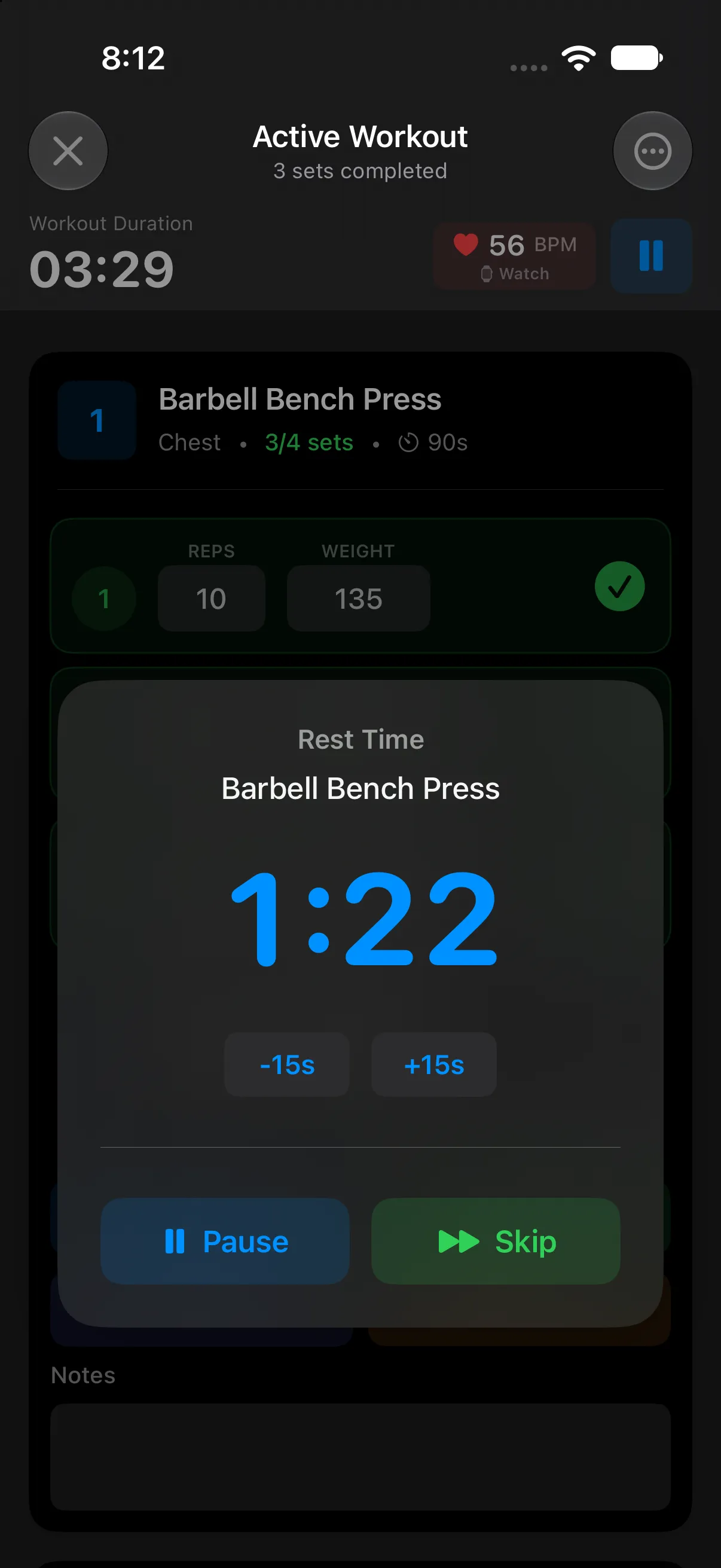
- The rest timer starts on its own when you finish a set. Add or take off 15 seconds, or skip it. Timed sets get an interval timer for planks and HIIT.
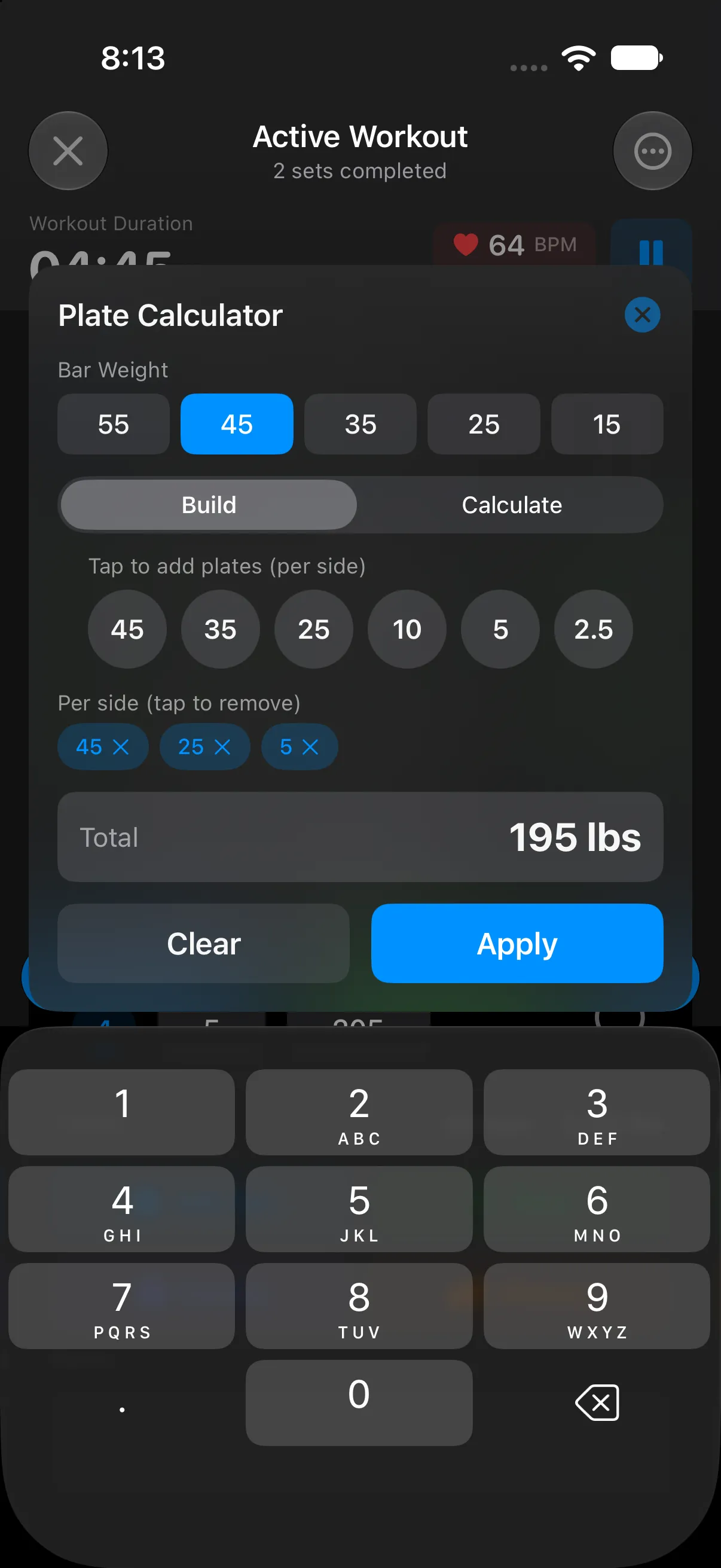
- A plate calculator adds up the plates you tap onto the bar, or works out the plates per side for a target weight.
Circuits
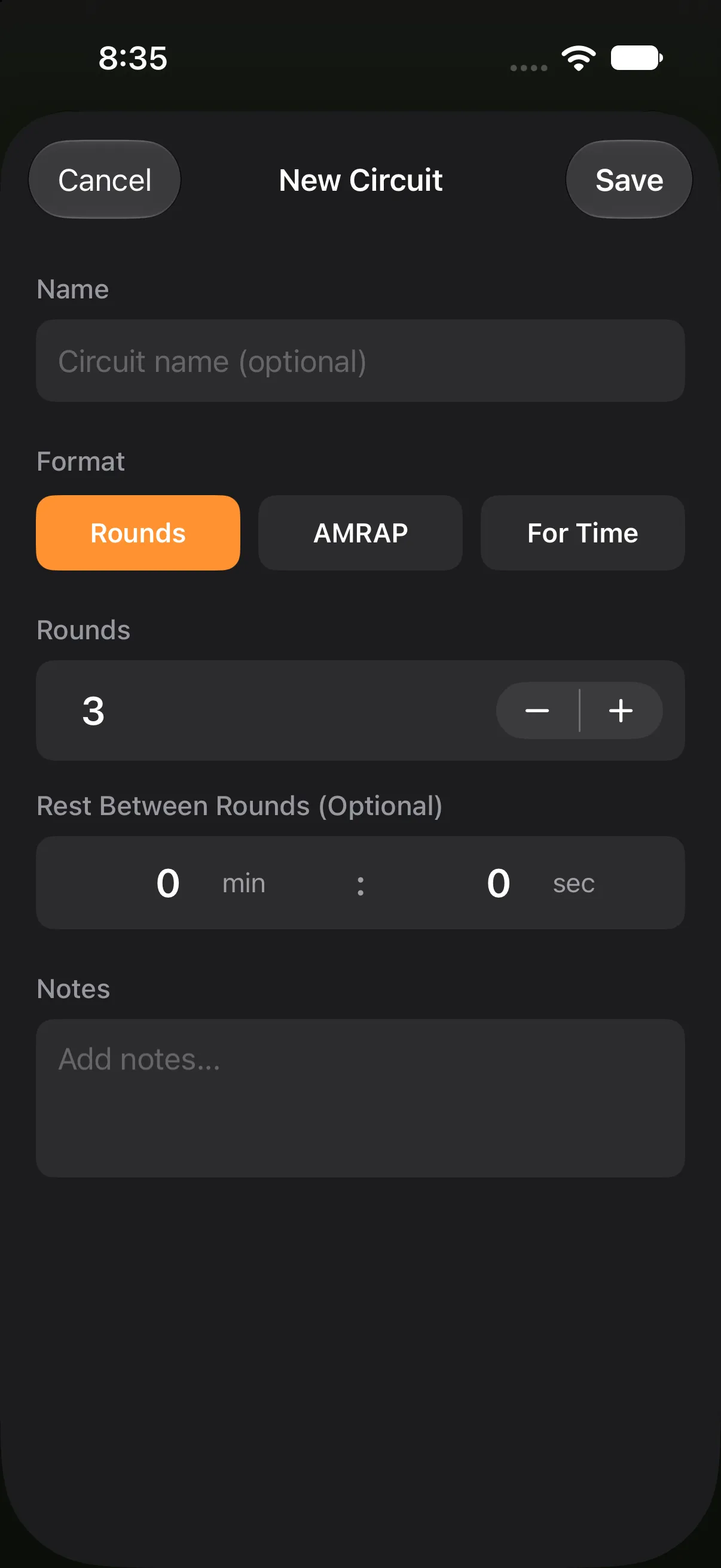
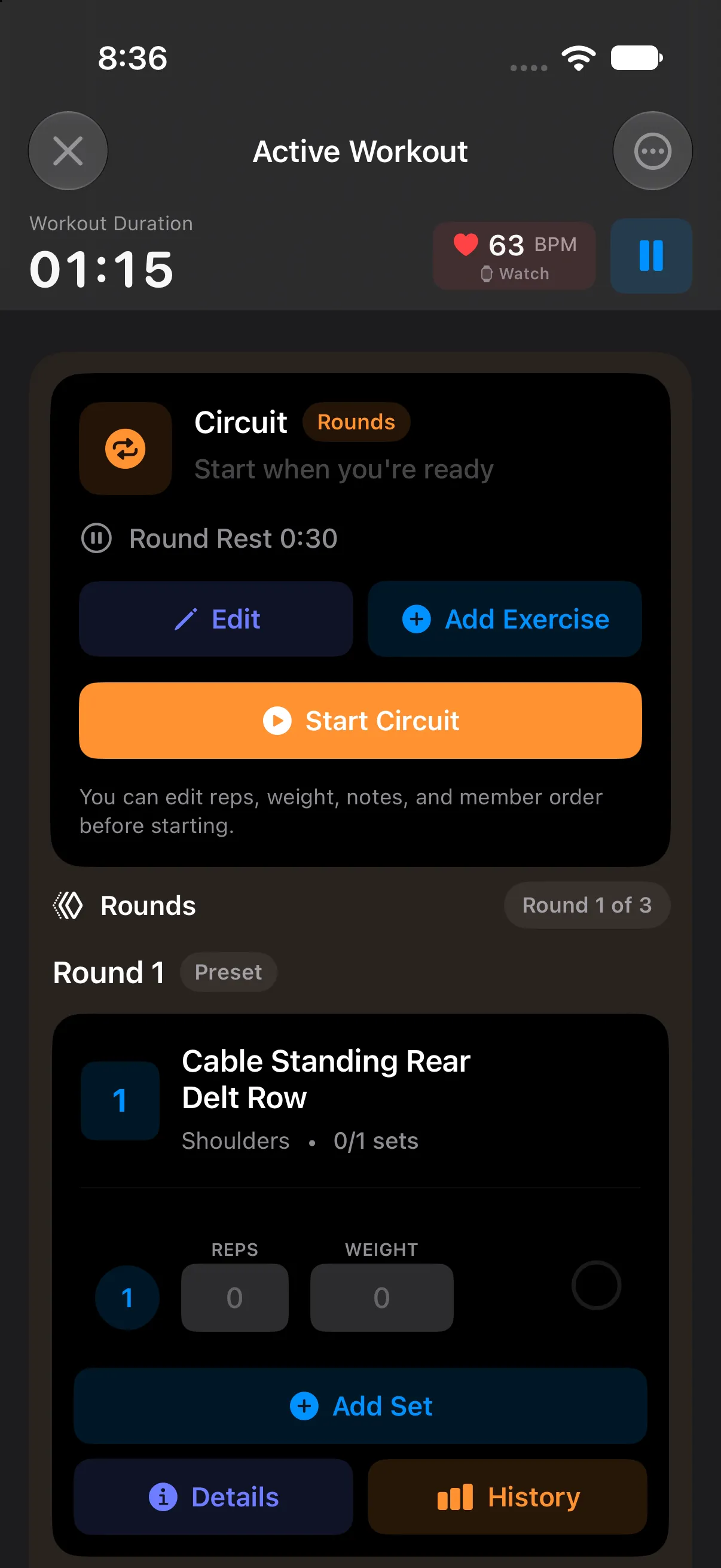
Group exercises into a block, pick a format, and the app keeps count of rounds and time.
- Rounds
- Work through the block a set number of times.
- AMRAP
- As many rounds as possible before the time cap.
- For Time
- Finish every round as fast as you can, with an optional cap.
Circuits run on Apple Watch too, and you can complete a round straight from the Lock Screen.
Cardio
Log the run after leg day in the same app, with the same history and goals.
- Run, walk, bike or stair climber, indoors or outside.
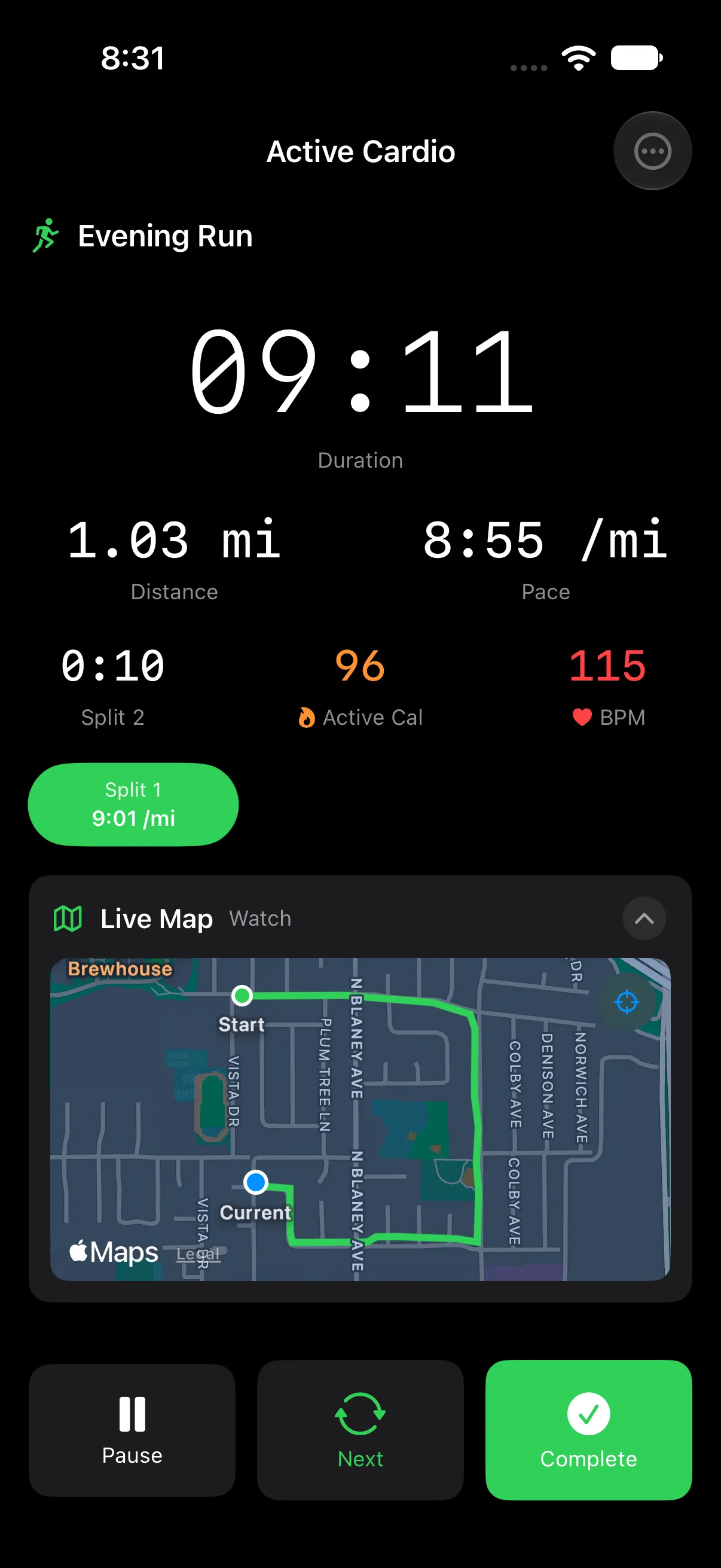
- Outdoors you get a live route map, mile splits and auto-pause when you stop.
- Heart rate, calories and elevation as you go.
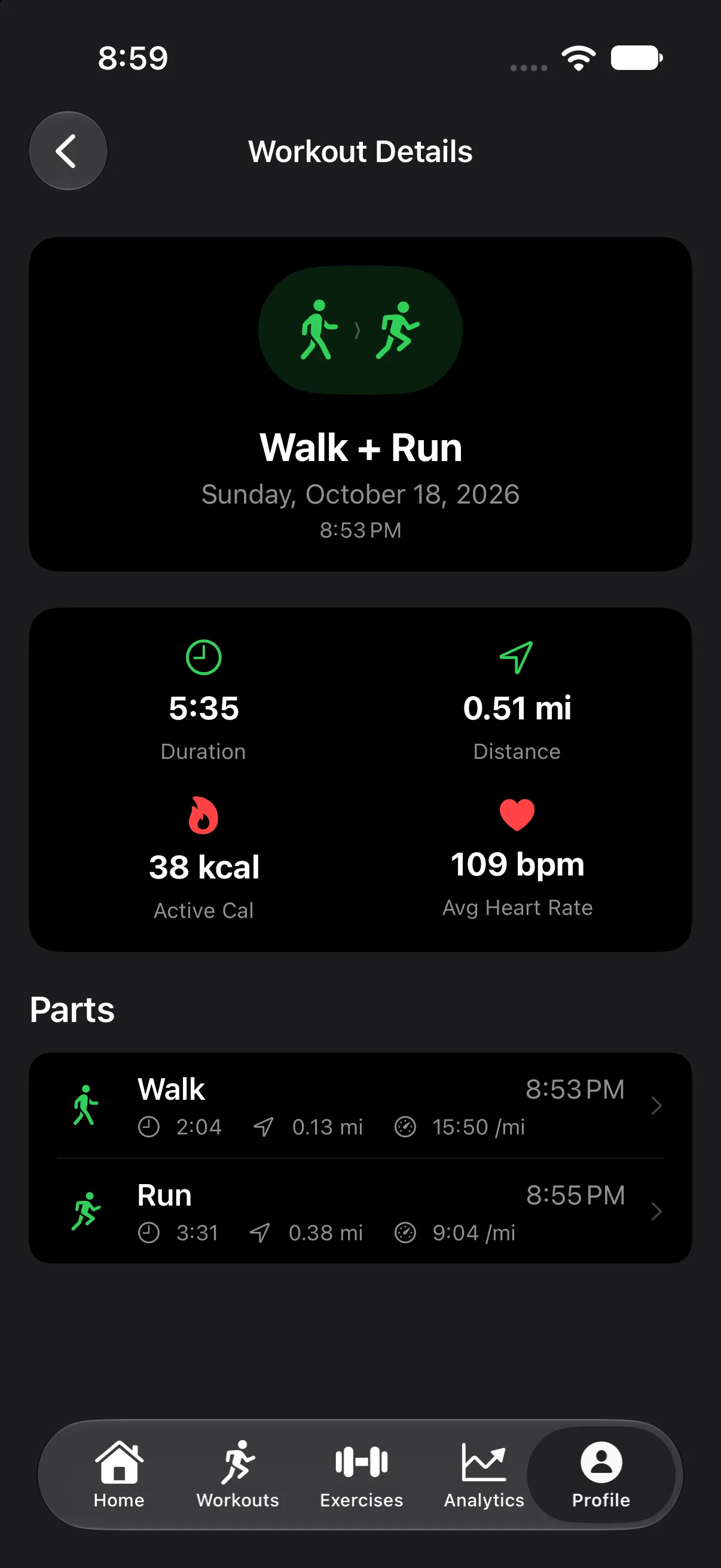
- Chain activities into one workout, like a walk into a run, without ending the session.
No need to unlock.
Complete sets, run rest timers and track cardio from your Lock Screen, the Dynamic Island or your Apple Watch, without opening the app. Everything stays in sync with the iPhone app.
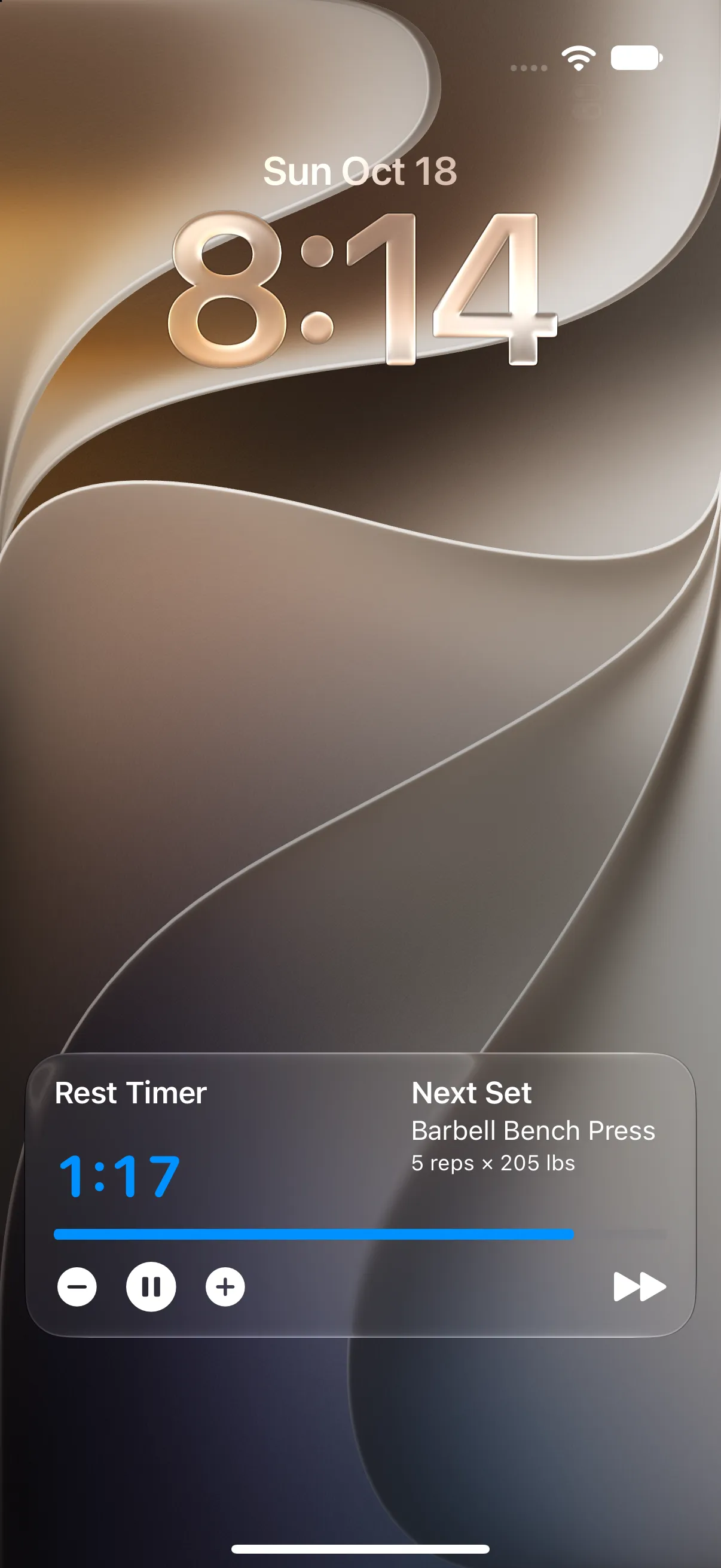
Live Activities
Five modes, each with the buttons that mode needs.
- Workout Current exercise and set. Complete the set from the Lock Screen.
- Rest Countdown with your next set. Add or remove time, pause or skip.
- Interval Timed sets for planks and HIIT, with a stop button.
- Circuit Round and time cap. Start the circuit or complete a round.
- Cardio Time, distance and pace on your Lock Screen and in the Dynamic Island.
Apple Watch
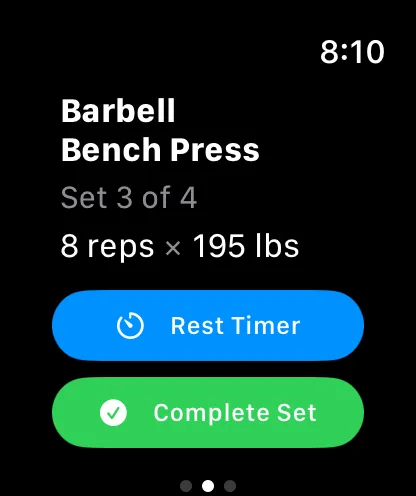
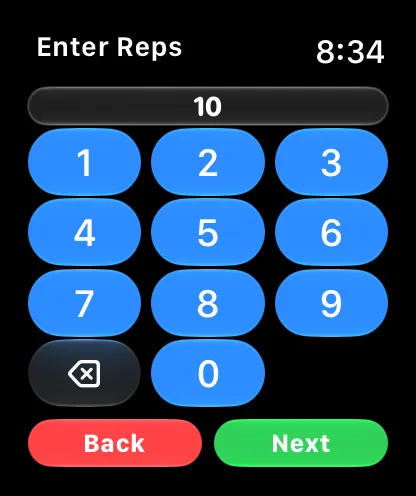
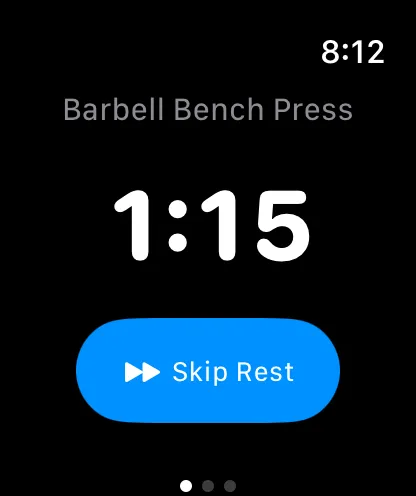
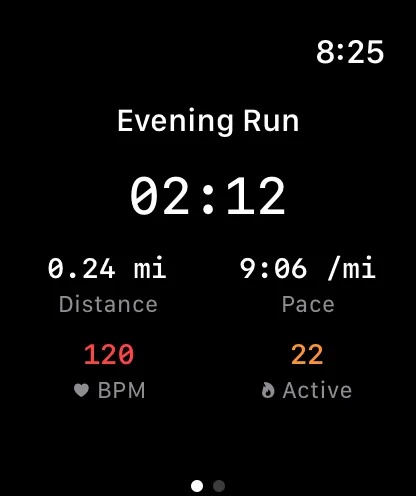
- Complete sets with a number pad, and run rest timers, interval timers and circuits.
- Heart rate and calories come straight from the Watch.
- Cardio with live stats, right on your wrist.
Trends that prove the work.
Stop guessing whether it’s working. The numbers are there after every session.
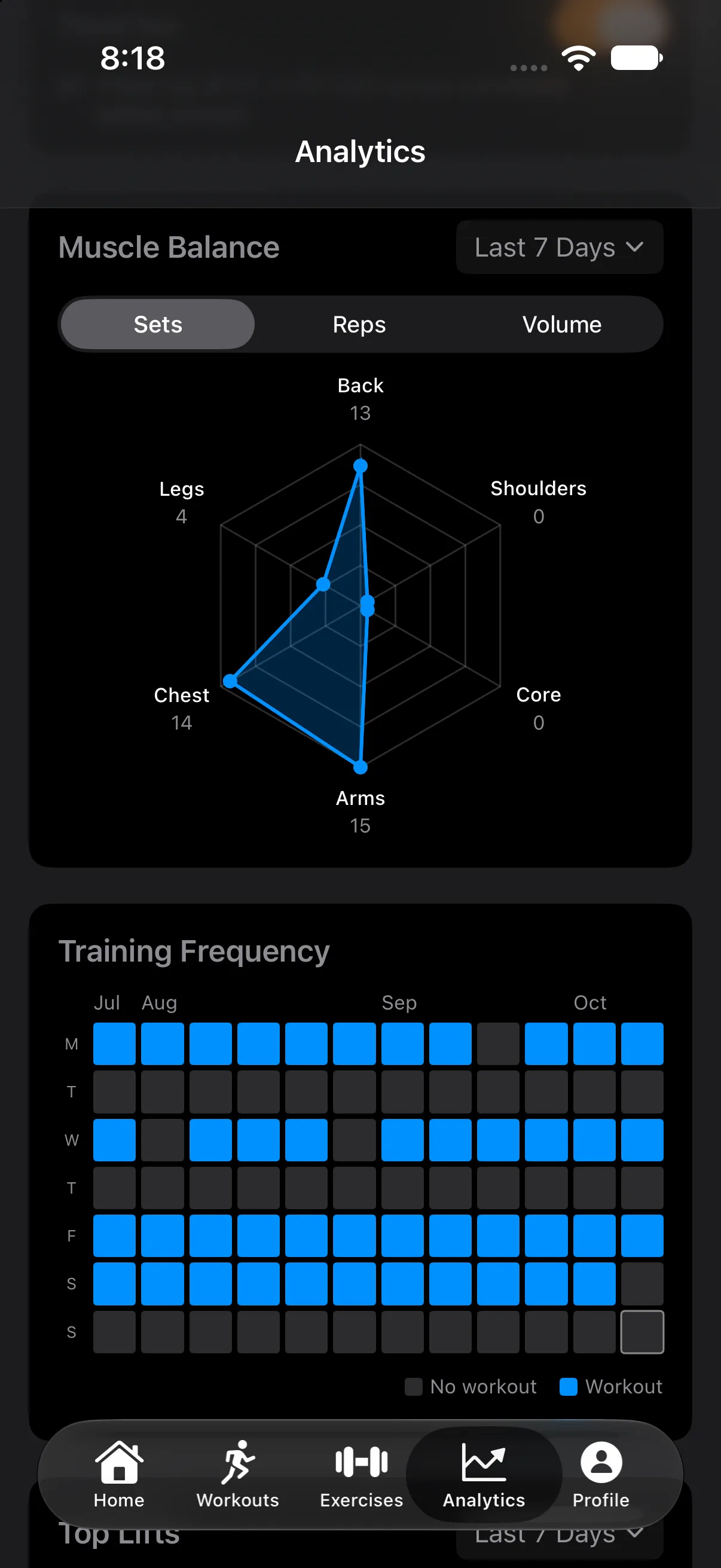
- Training heatmap
- Twelve weeks at a glance: every day you trained.
- Volume with a trend line
- Weekly or monthly totals, plus a trend line that shows whether you are actually progressing.
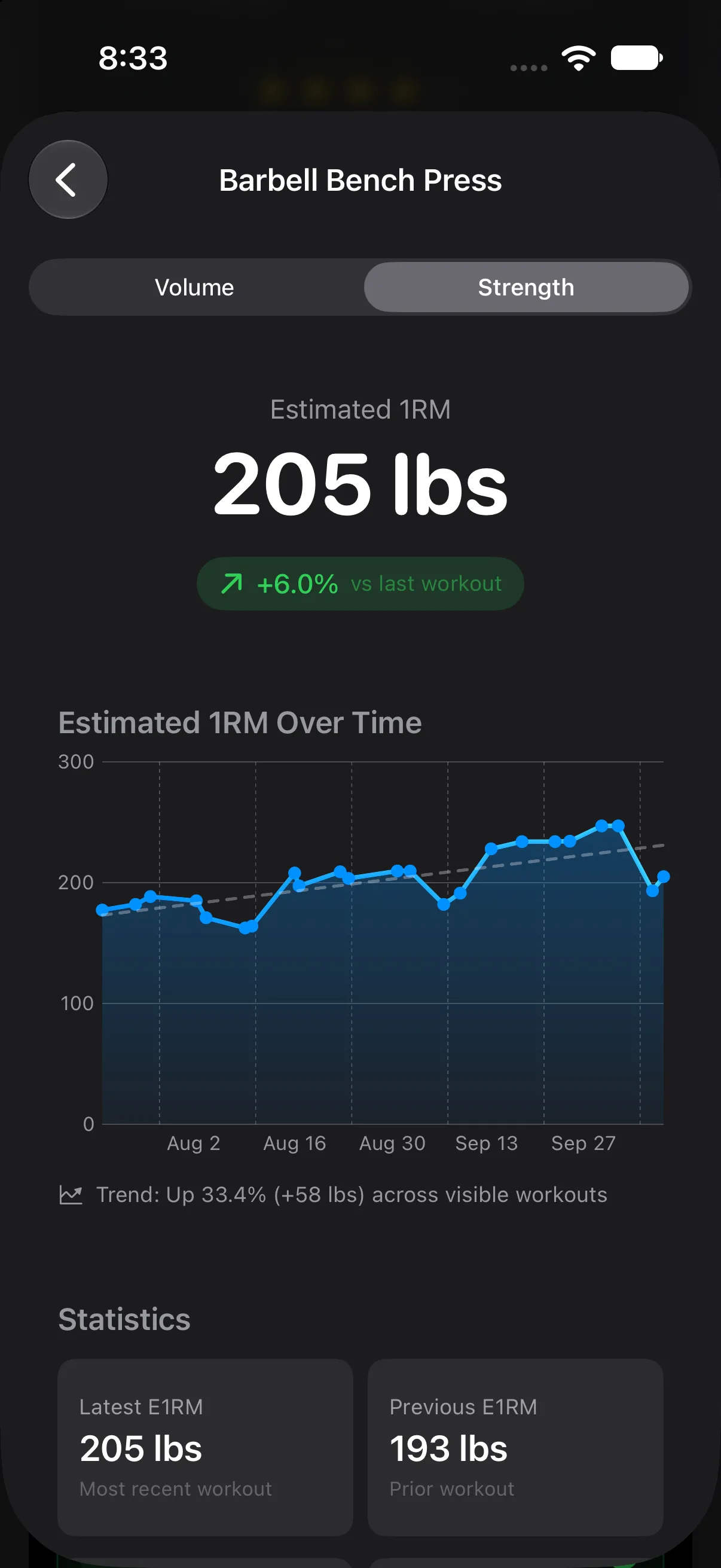
- Estimated 1RM and PRs
- Estimated one-rep max for every lift. PRs for max weight, best set and session volume, with a timeline. Add old PRs by hand.
- Muscle balance
- A radar chart of sets, reps or volume by muscle group shows what you keep skipping.
Set a target and hit it.
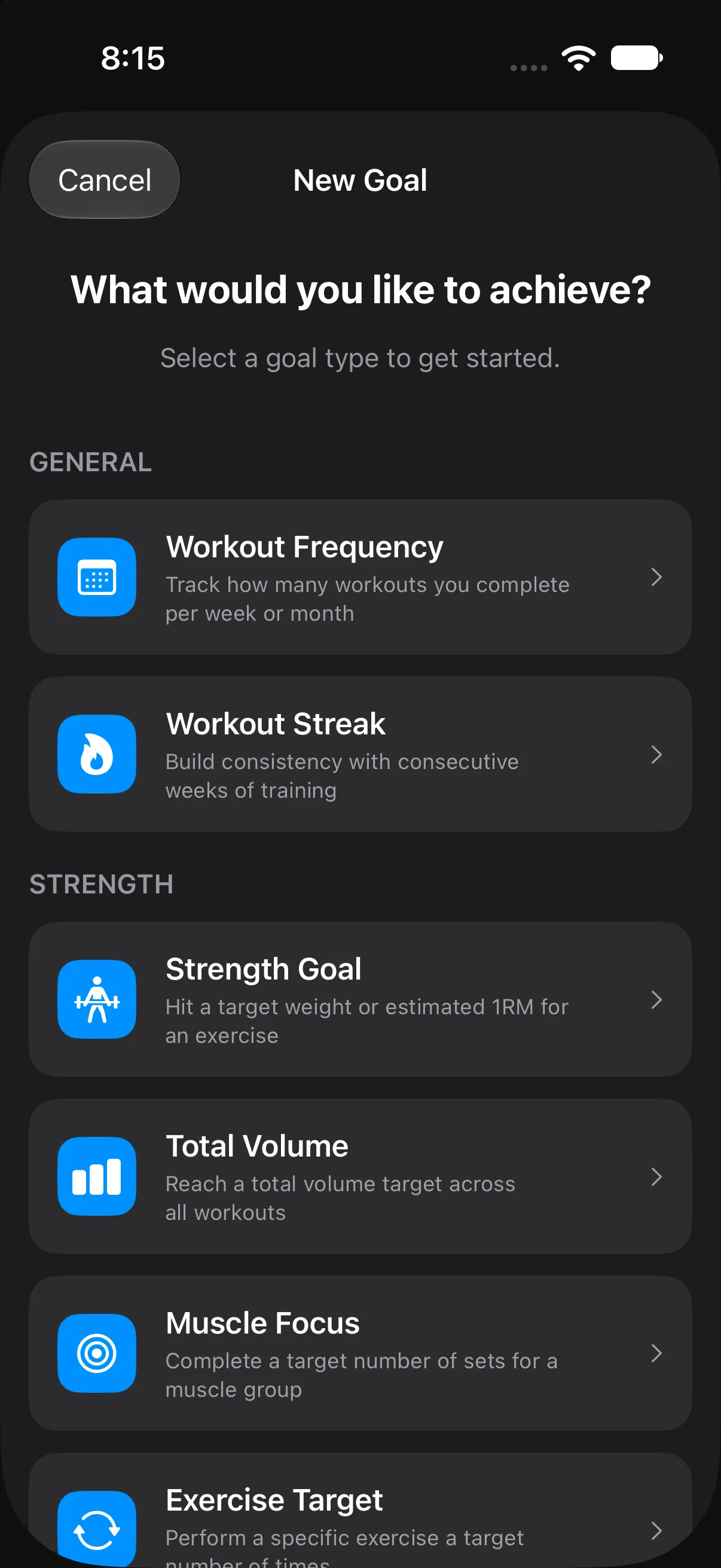
- Nine kinds of goals
- Workout frequency, streaks, strength targets, total volume, muscle focus, exercise targets, cardio distance, duration and pace.
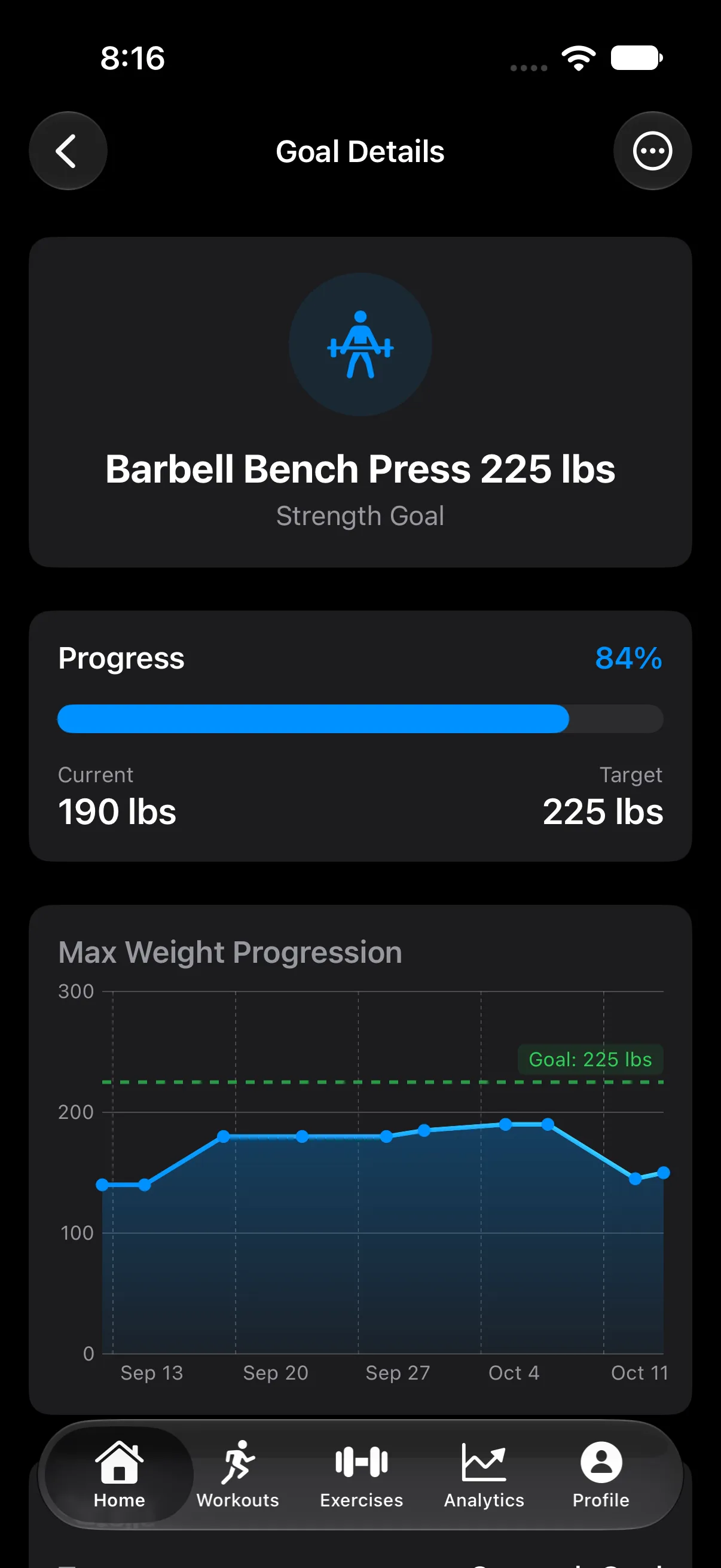
- Progress toward the number
- Each goal shows how far along you are and charts your lifts against the target. Strength goals can track max weight or estimated 1RM.
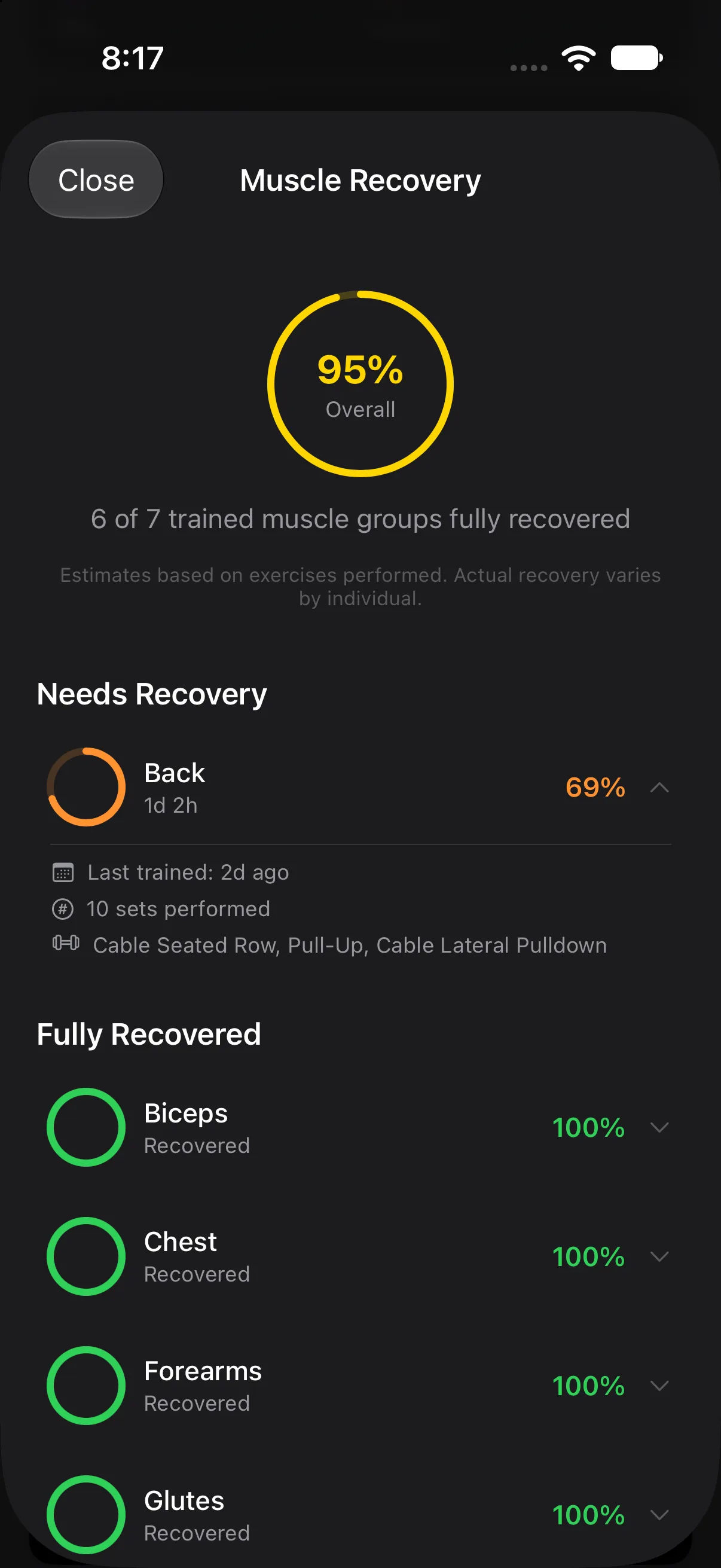
- Muscle recovery
- See which muscle groups are recovered and which need another day, based on the sets you did and when you did them.
Your plan, your way.
Bring your own program or build one as you go. The app gives you the tools and stays out of the way.
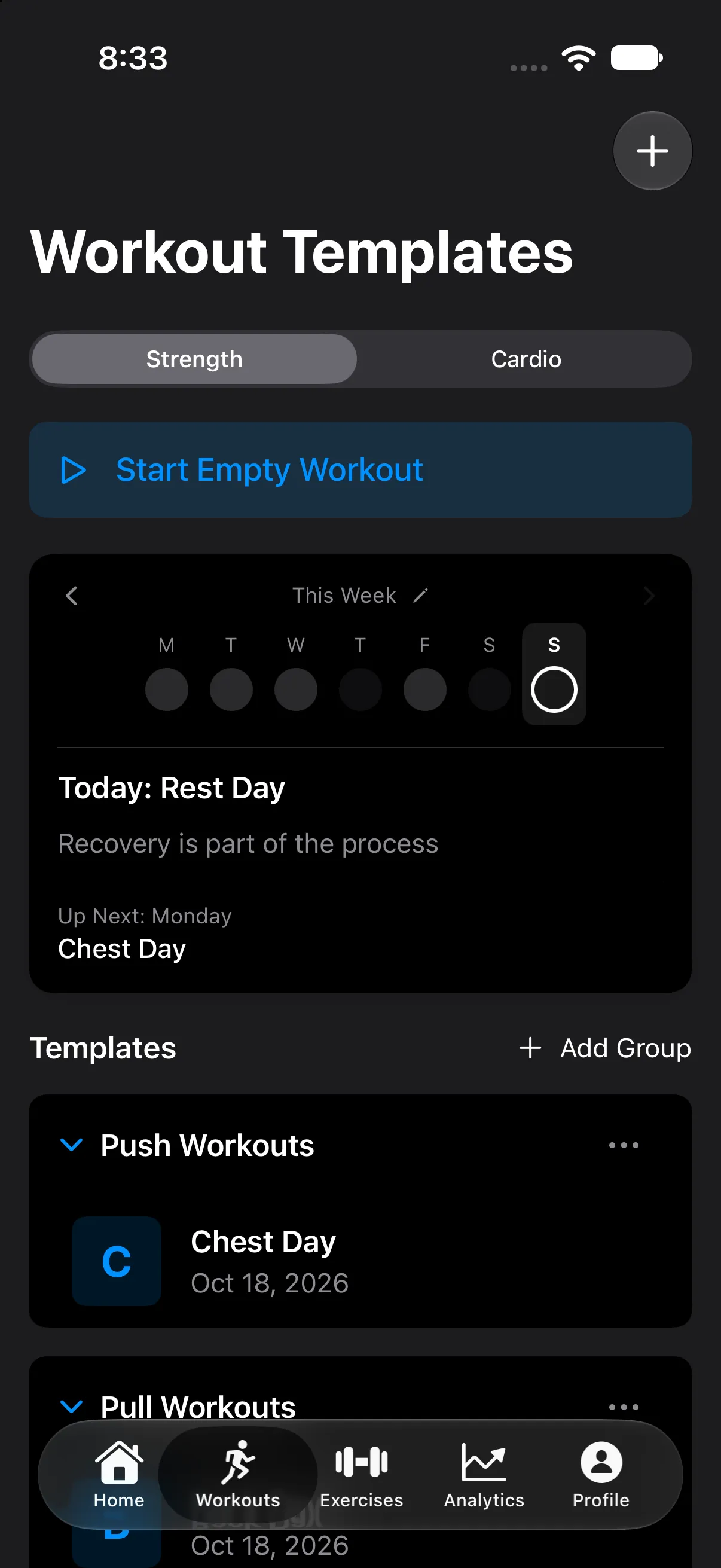
Templates
Build workouts with sets, supersets and circuits, and group them however you train. Save any past session as a template, or repeat it in one tap.
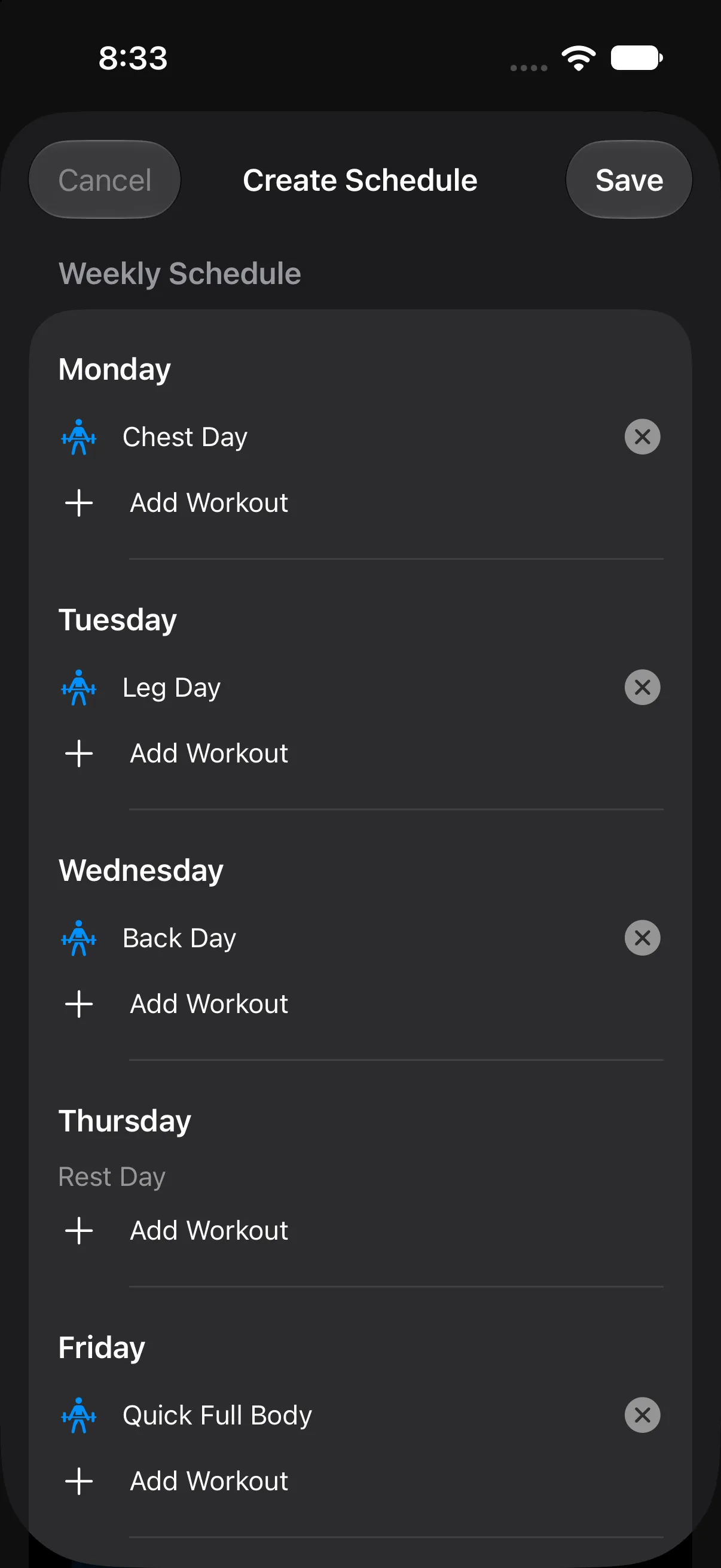
Weekly schedule
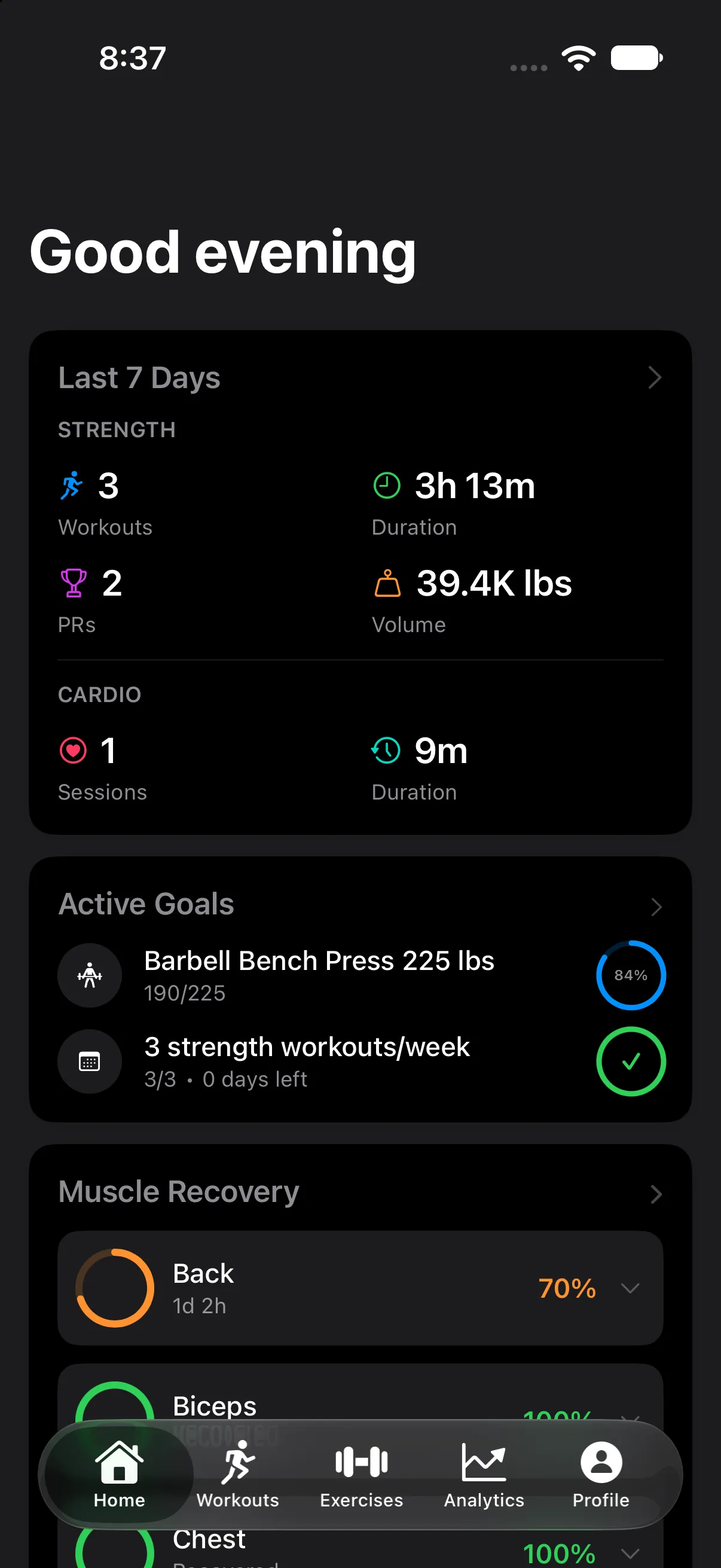
Assign a template to each day and mark your rest days. Check off what you did, or skip it, right from Home.
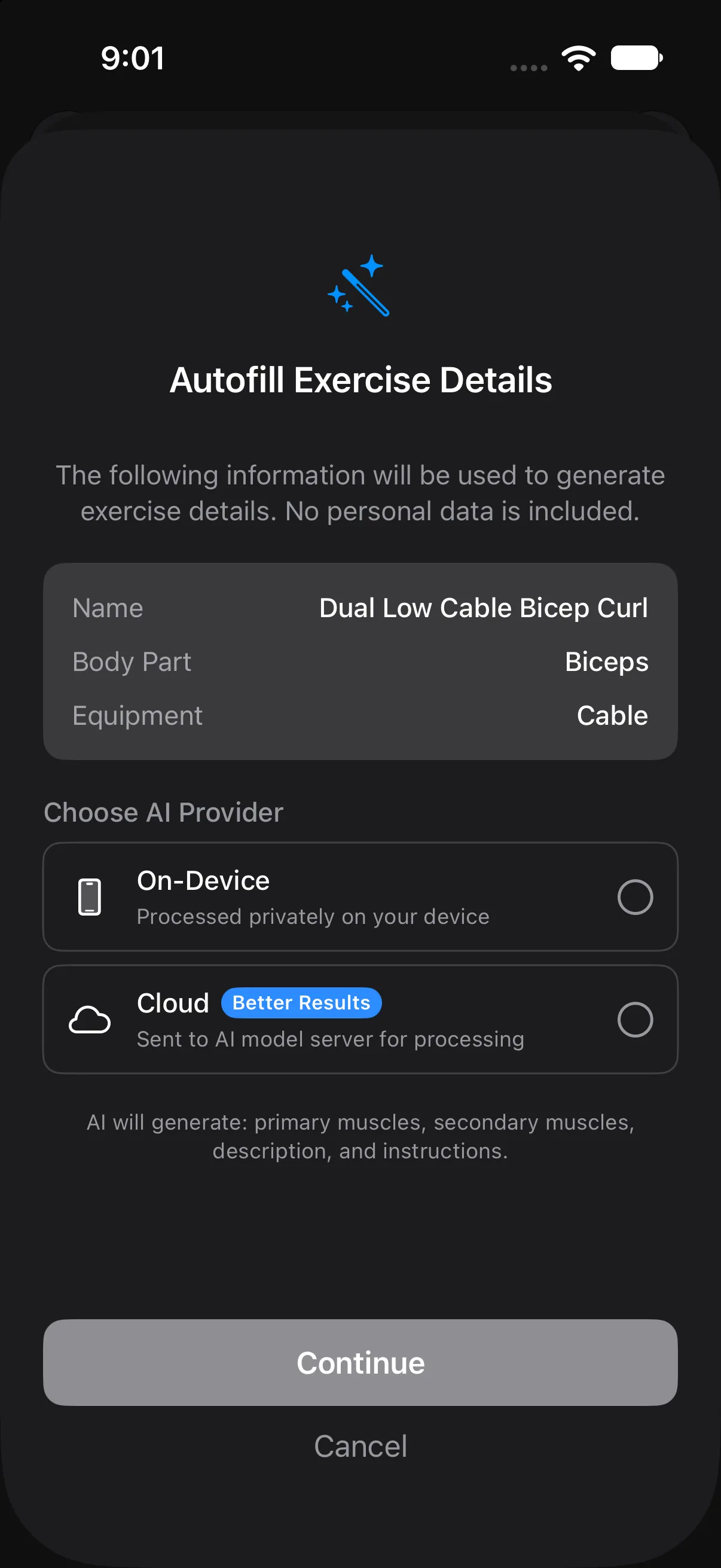
901 exercises
Each one comes with target muscles and step-by-step instructions. Add your own and AI autofill writes the muscles, description and instructions, on your device or in the cloud. You choose.
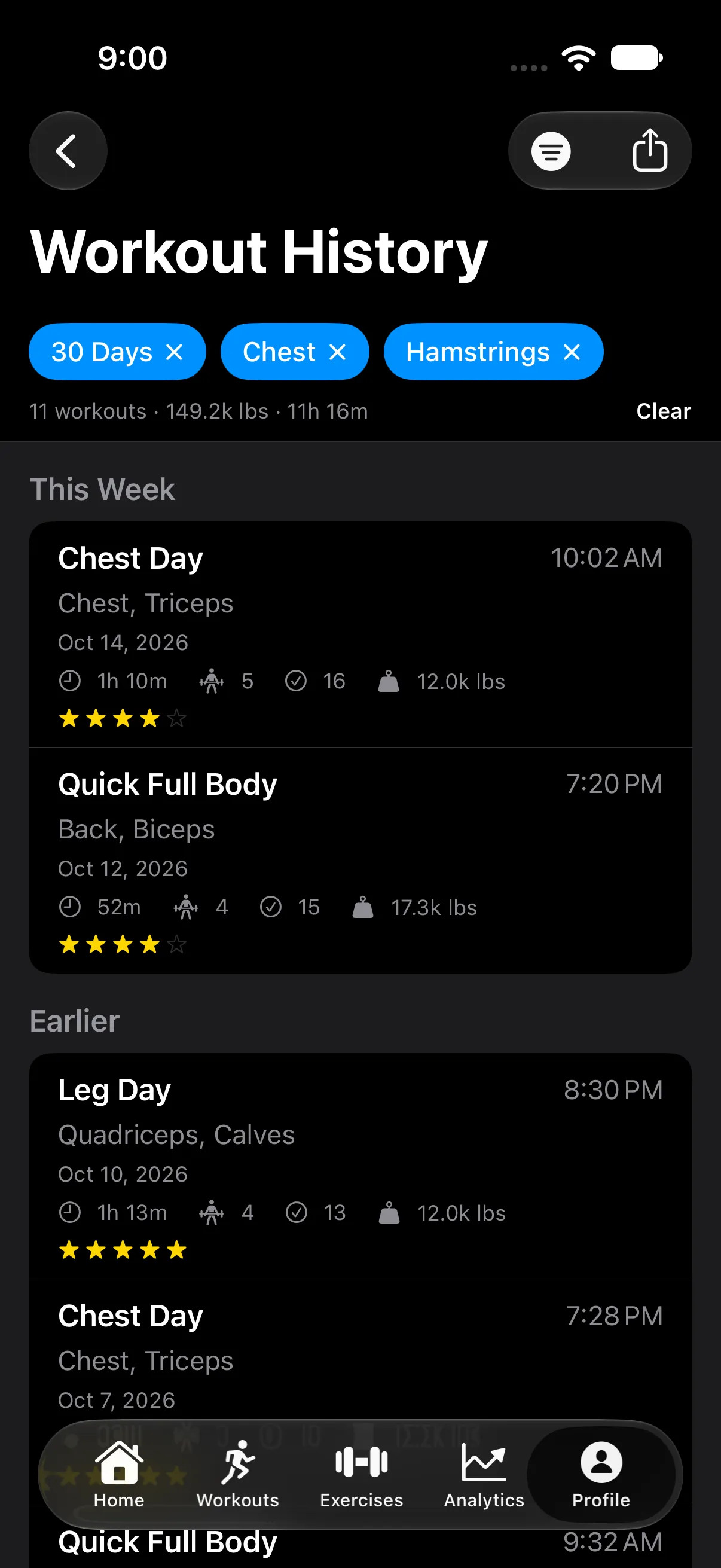
History you can trust
Filter by date, muscle group, template or exercise and see the totals for just those workouts. Fix a mistyped weight after the fact. Export to CSV or JSON any time.
Home, the way you want it.
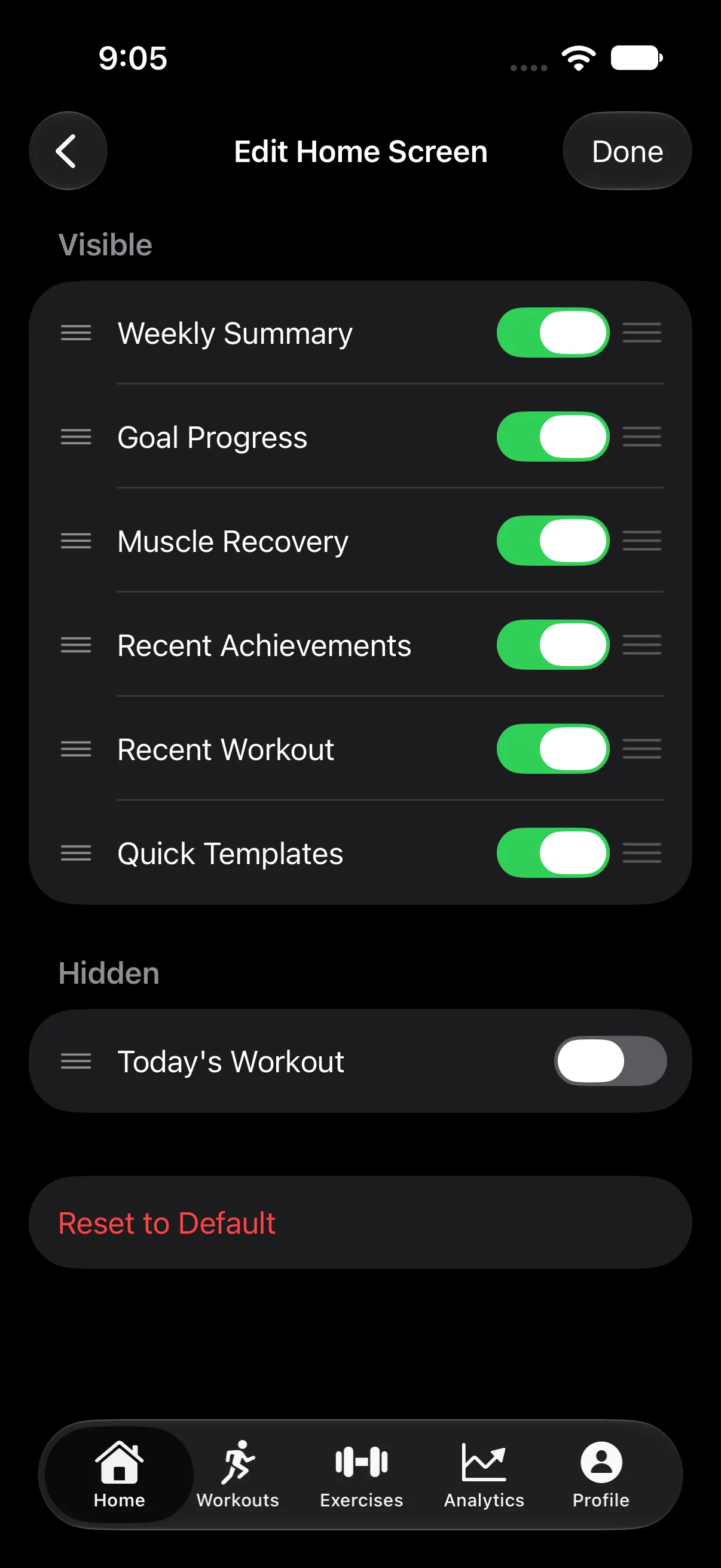
Choose which cards show up on Home and drag them into the order you check them. Hide the rest, or reset to the default any time.
- Weekly Summary
- Workouts, time, volume and PRs for the last 7 days, strength and cardio.
- Goal Progress
- A ring for each active goal.
- Muscle Recovery
- Which muscle groups are ready to train again.
- Recent Achievements
- PRs from the last two weeks.
- Recent Workout
- Your last session at a glance.
- Quick Templates
- Start a saved workout in one tap.
- Today's Workout
- What's on the schedule for today.
Built for the gym, not the cloud.
Your training log lives on your phone. You don’t need an account to use any of it.
- No account
- Open the app and start lifting. No email, no profile, no sign-up screen.
- Works with no signal
- Your workouts are stored on your iPhone, so a dead zone in the basement gym changes nothing.
- Apple Health
- Heart rate and calories come in. Workouts, distance and routes go out. Turn saving off whenever you like.
- Nothing lost
- If the app closes mid-workout, pick up exactly where you left off.
- Yours to take or delete
- Export your history to CSV or JSON. Reset All Data wipes everything from your device.
The app sends usage analytics, such as which features get used, to help improve it. You can turn this off in Settings. The privacy policy has the details.
Stop guessing.
Start tracking.
Your first workout is a tap away.